Staffty
A workforce management platform for HoReCa teams, combining employee operations, attendance tracking, scheduling, payroll, and gamification.
Overview
Staffty is a workforce management platform designed for HoReCa businesses, primarily restaurant teams. It combines a mobile employee application, a mobile admin mode, and a web-based management platform.
Employees can manage their shifts, attendance, leave requests, payroll information, and workplace activity. Managers can oversee staff, schedules, attendance, payroll, restaurants, and organizational structure from connected administrative interfaces.
Product Ecosystem
Employee Mobile App
A mobile workspace for employees to manage attendance, shifts, requests, payroll, and daily workplace activities

Mobile Admin Mode
A lightweight management experience for reviewing operational information and completing urgent administrative tasks on the go

Web Admin Platform
A comprehensive desktop platform for managing employees, schedules, attendance, payroll, restaurants, and organizational settings
Role
I worked on the product structure, UX flows, employee mobile application, mobile admin mode, web administration platform, gamification concepts, interface states, and reusable design system.
Challenge
The key challenge was to design connected experiences for employees and managers working in very different contexts.
Employees needed fast mobile interactions that would not interrupt their work during busy restaurant shifts. Managers needed detailed tools for monitoring attendance, managing schedules, reviewing requests, processing payroll, and maintaining employee information.
The experience also needed to make routine workforce actions more engaging without compromising clarity or operational control.
Usage Context
Employees usually interact with the application before, during, or after a shift. Their flows must therefore be short, clear, and suitable for one-handed mobile use.
Managers use both mobile and desktop interfaces depending on the complexity and urgency of the task.
Main product areas
Employee Home
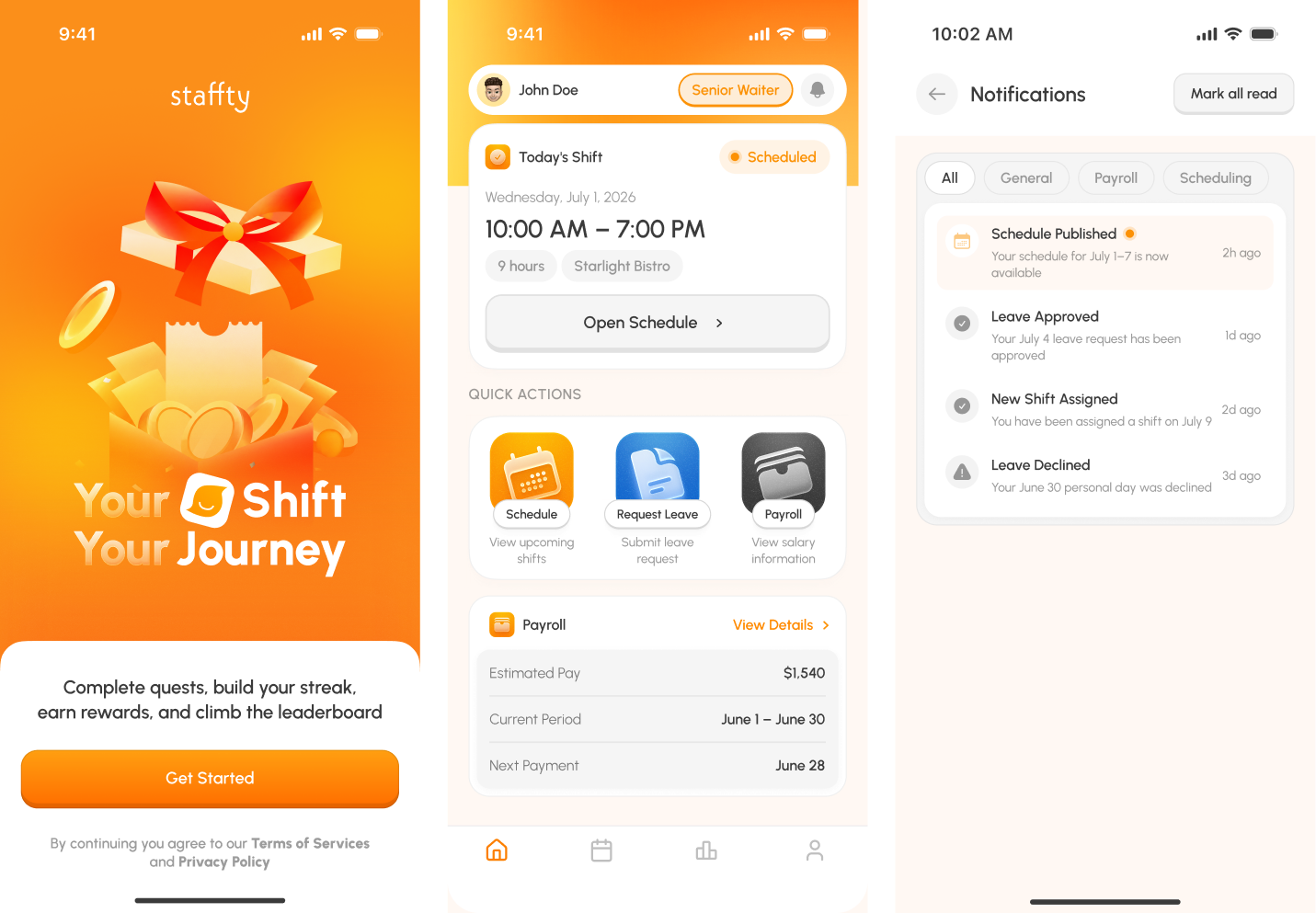
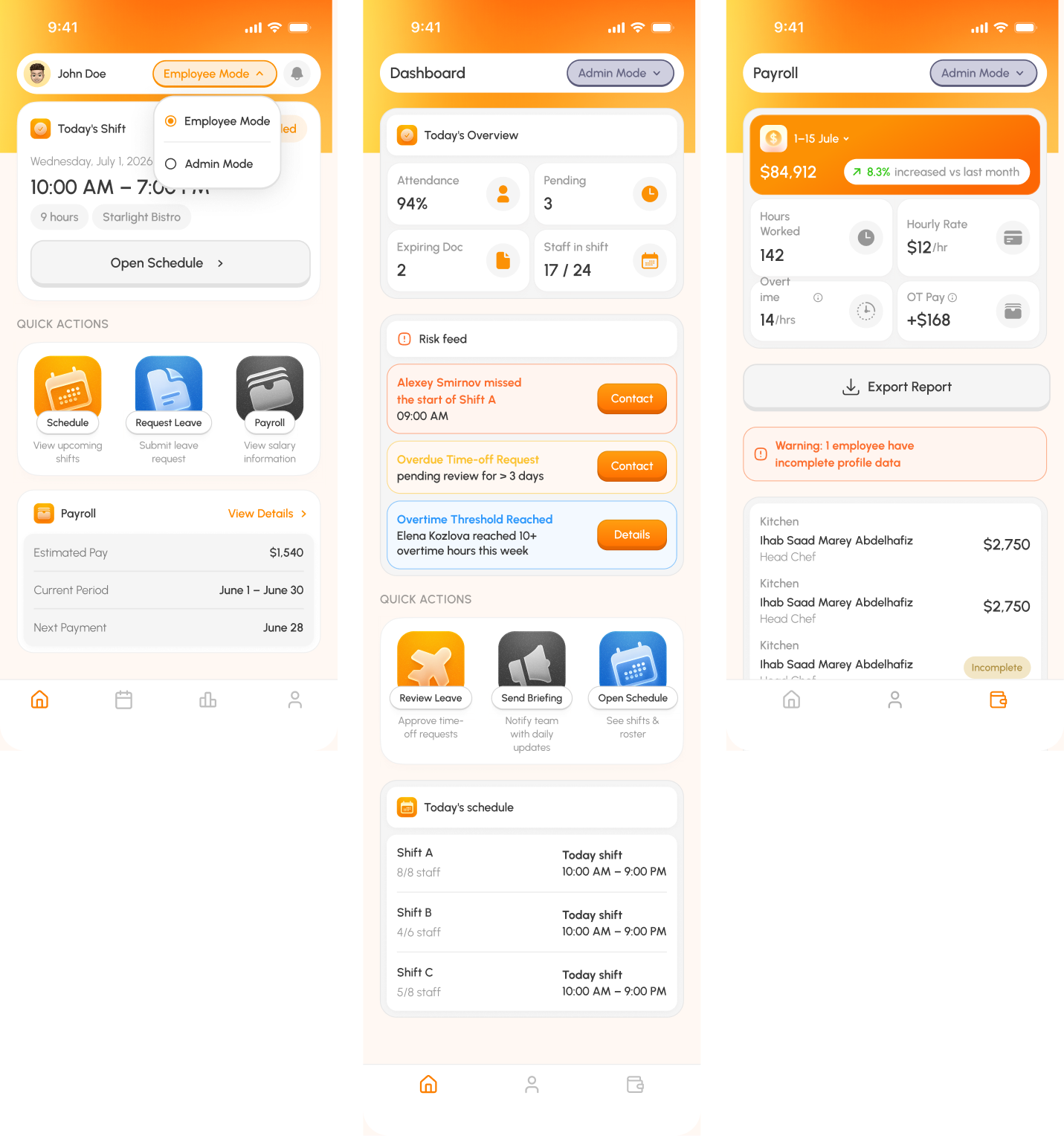
The employee home screen brings together the current shift, daily briefing, quick actions, payroll summary, notifications, and schedule access in one mobile workspace.
Shift Management
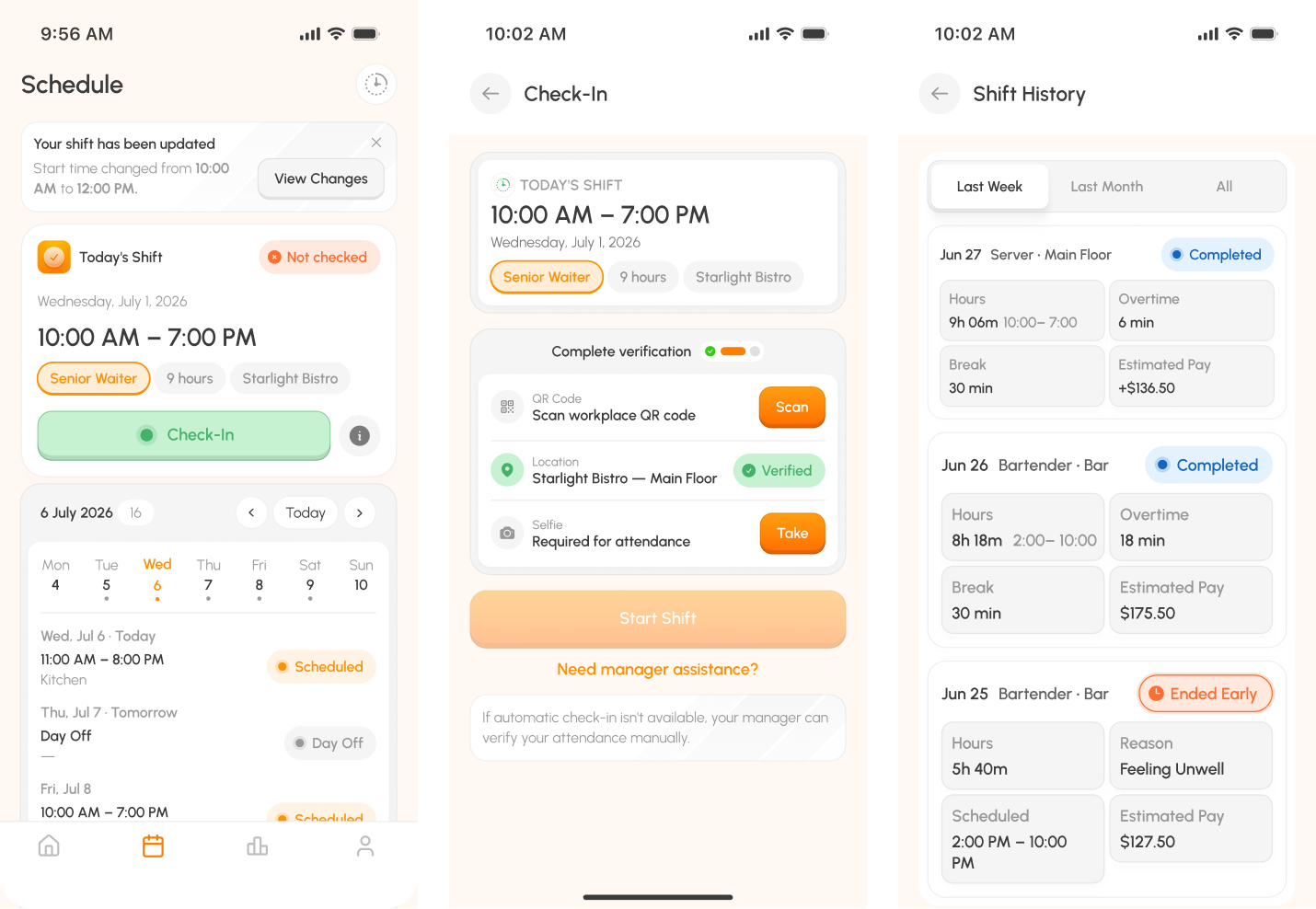
Employees can review schedules, receive shift updates, check in, check out, view completed shifts, and access detailed shift history.
Time-Off Requests
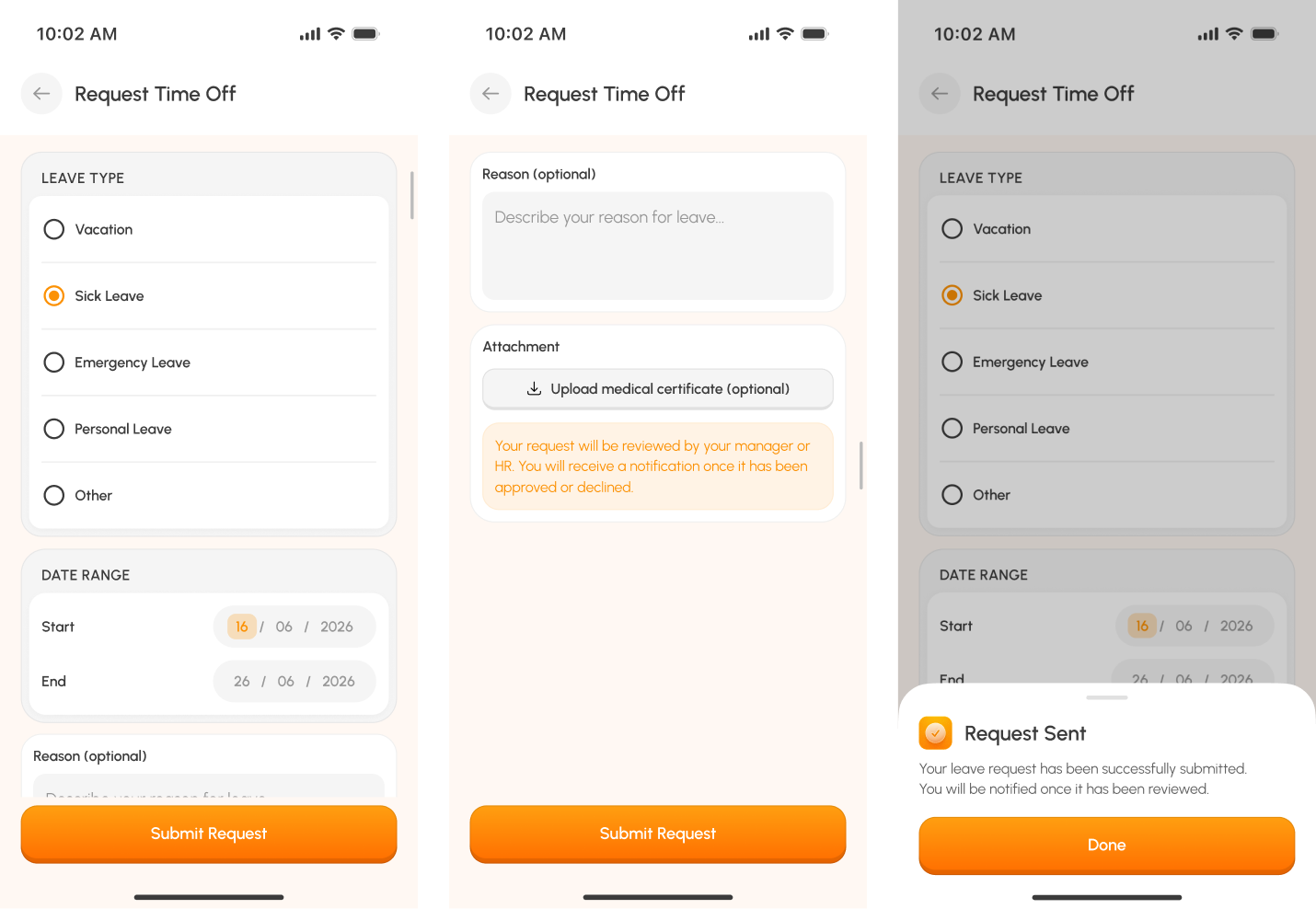
Employees can select a leave type, choose a date range, add supporting information, attach a document, and submit the request for manager or HR review.
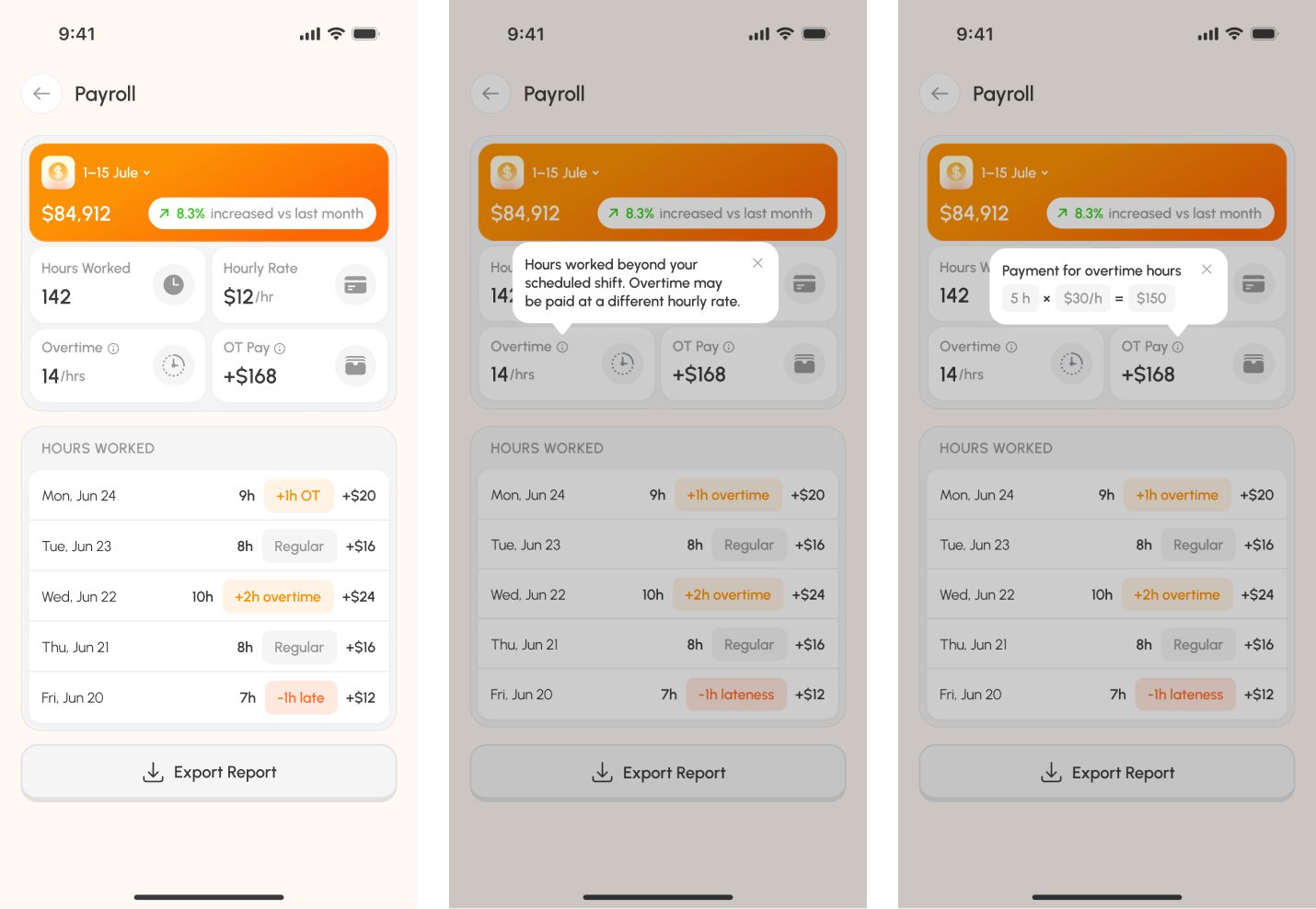
Payroll Experience
The mobile payroll experience gives employees visibility into worked hours, hourly rates, overtime, deductions, and estimated earnings.
Managers receive a more detailed view with base salaries, additions, deductions, incomplete records, exports, drafts, and payroll finalization.
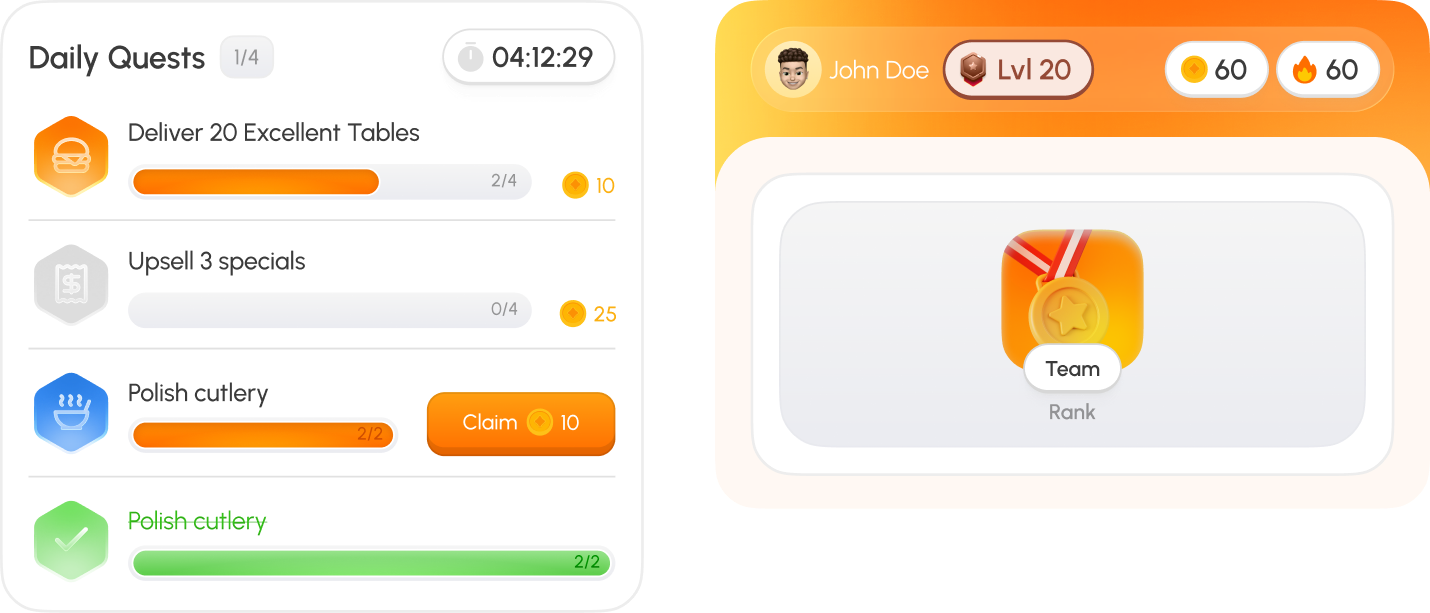
Gamification
Gamification concepts were explored to make routine employee actions more motivating through quests, levels, streaks, rewards, and team rankings.
Mobile Admin Mode
Mobile Admin Mode gives managers quick access to attendance, staff activity, risk indicators, approvals, schedules, and payroll information without requiring the full desktop platform.
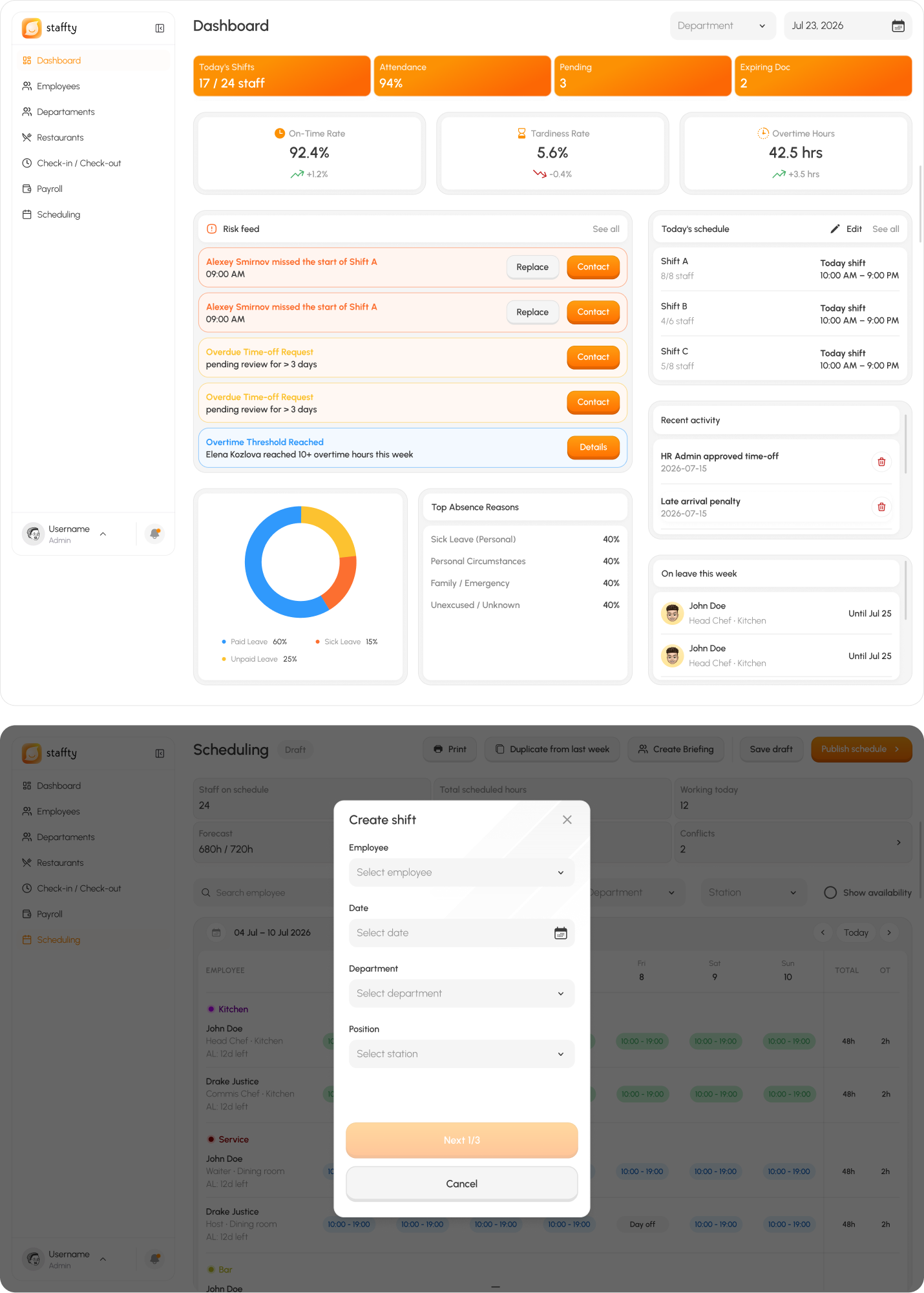
Web Administration Platform
The desktop platform gives administrators a complete view of employees, schedules, attendance, payroll, restaurants, and organizational settings.
Key UX Decisions

Multi-step attendance verification
QR, location, and selfie verification help create a more reliable check-in process

Actions for time-sensitive tasks
Managers can review urgent information and approvals through Mobile Admin Mode

Clear operational statuses
Reusable status components communicate attendance, scheduling, approval, and employee states consistently
Prototype Validation
Prototype validation with 12 restaurant employees and 6 managers. Results reflect usability testing of key employee and administrative flows, not live production analytics.
Check-in completion
92%11 out of 12 employees independently completed the QR code, location, and selfie verification flow
Median check-in time
48 secA realistic completion time for a multi-step attendance flow involving several verification methods
Prototype usability score
81/100A strong overall usability result that still leaves clear opportunities for refinement.
Outcome
Staffty brings employee operations and administrative management into one connected platform.
Employees receive a focused mobile experience for everyday workplace actions, while managers gain visibility and control across attendance, scheduling, payroll, employee information, restaurants, and organizational structure.
Reflection
This project required balancing simple employee interactions with complex administrative workflows.
The main design challenge was not only creating separate mobile and desktop interfaces, but ensuring that employee actions, manager decisions, attendance records, schedules, and payroll data worked as one connected system.